How to Write AI Music Prompts That Actually Work in 2026
After running maybe 200 prompts through Suno, Udio, and a few smaller AI music tools over the past six months, the gap between a good prompt and a bad one is usually one or two specific words. "Sad song" produces something forgettable. "Lonely Brooklyn rooftop, 2009, raspy male, half-singing" produces something you'd actually keep.
The difference is mostly mechanical. Once you've made a hundred prompts, you stop trying to be poetic and start treating them like recipes — five or six concrete tags arranged in a structure the model can actually use. This guide is how I'd explain that mechanical layer to someone who's burned through their first round of generations and wants the next twenty tries to actually work.
It's tool-agnostic. Most of what follows applies to Suno, Udio, MusicGen, and any AI music generator that takes a text prompt. Where workflows diverge — like with lyrics-first tools — I'll call it out.
The #1 Mistake: Vague Adjectives
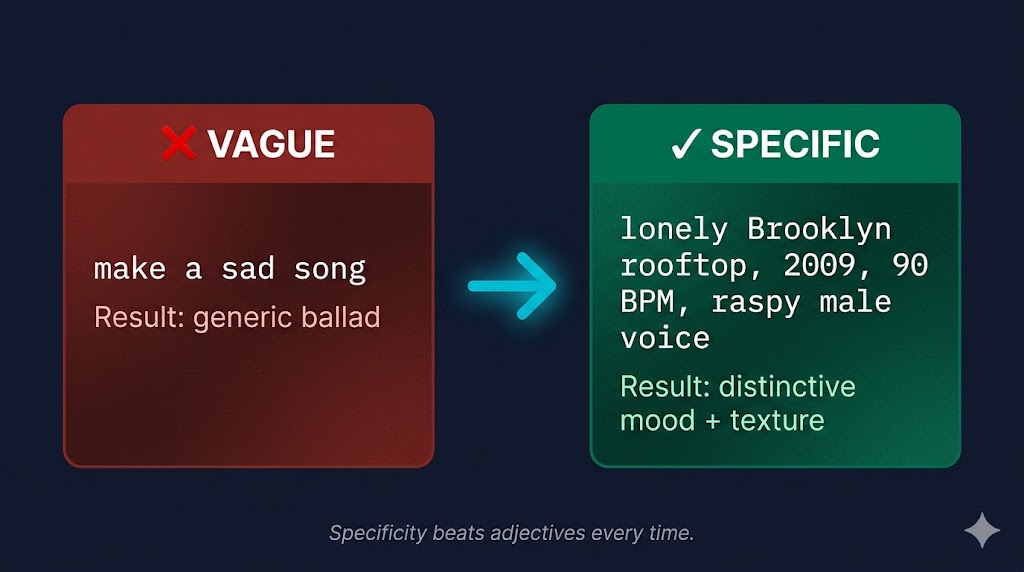
The single fastest improvement you can make is replacing emotional adjectives with concrete settings. Models don't share your sense of what "sad" means. They've seen ten thousand sad songs labeled "sad" — slow piano ballads, country break-up songs, ambient drone, minor-key trap. When you write "sad song," the model averages all of them and gives you something that sounds like nothing in particular.
Compare these two:
- ❌
make a sad song - ✅
lonely Brooklyn rooftop, 2009, 90 BPM, raspy male, half-singing
The second one does five things at once: it anchors a specific scene (rooftop), gives a year (2009 = a particular indie-folk era), sets tempo (90 BPM = mid-slow), specifies vocal texture (raspy, half-singing), and limits to a single voice. The model has way less guessing to do, and the output is correspondingly less generic.
This applies even more to instrumental cues. "Acoustic guitar" is fine; "fingerpicked steel-string guitar with capo, recorded close-mic'd in a small room" is better. The cost of being specific is zero — you're not adding work, you're trading vague words for sharp ones.
5 Prompt Mistakes (and How to Fix Them)
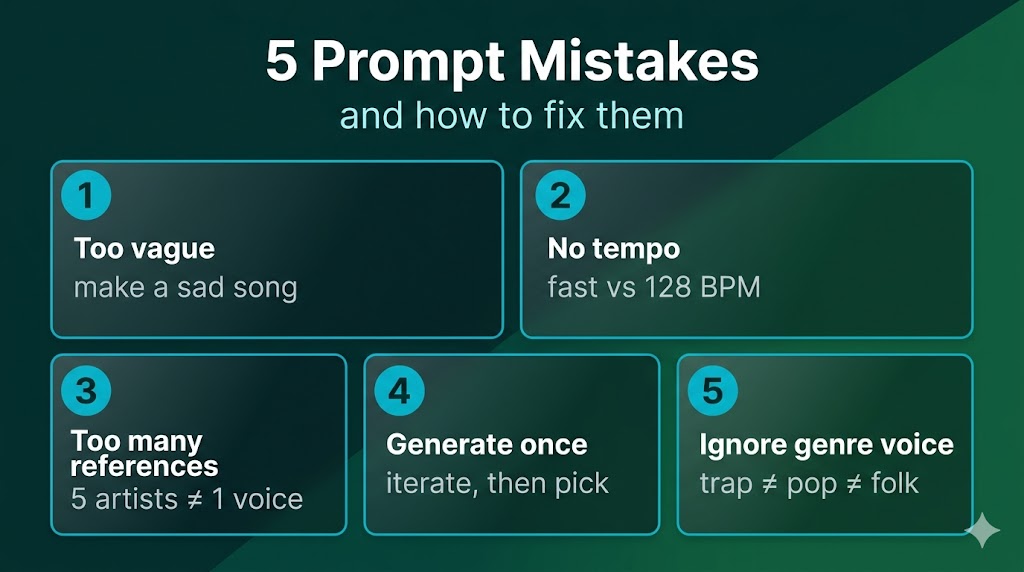
These are the five I see most often, in roughly the order they damage output quality.
1. Too vague. Already covered above. If your prompt is mostly adjectives ("uplifting, energetic, modern"), strip them out and replace each with a concrete cue (genre + tempo + instrument).
2. No tempo. Without a BPM number, the model defaults to genre averages, which often misses what you actually want. A "lo-fi hip-hop beat" without tempo lands somewhere around 80–90 BPM, but if you wanted 70 BPM (slower, more chilled), you have to say so. Say 90 BPM — not "fast" or "slow."
3. Too many artist references. Two is the sweet spot. "Frank Ocean meets Daniel Caesar" gives the model a clear interpolation point. "Frank Ocean meets Daniel Caesar meets The Weeknd meets Bryson Tiller meets H.E.R." gives it a blender, and you get blender output.
4. Generate once, ship it. First generations are almost never the best. The model has variance — same prompt gives you ten different takes. Generate three to five versions, listen to all, keep the second-best (the first one usually has too-obvious flaws you fix in the second pass).
5. Ignoring genre voice. Genres aren't just instrumentation; they're vocal performance conventions. A trap verse and an indie-folk verse use the same English language entirely differently. If you're writing lyrics for AI to sing, match the rhythm of words to the genre's vocal phrasing. "Spit fire on the block" and "watching morning light through window blinds" are not interchangeable across genres, even though both are six syllables.
The Anatomy of a Working Prompt
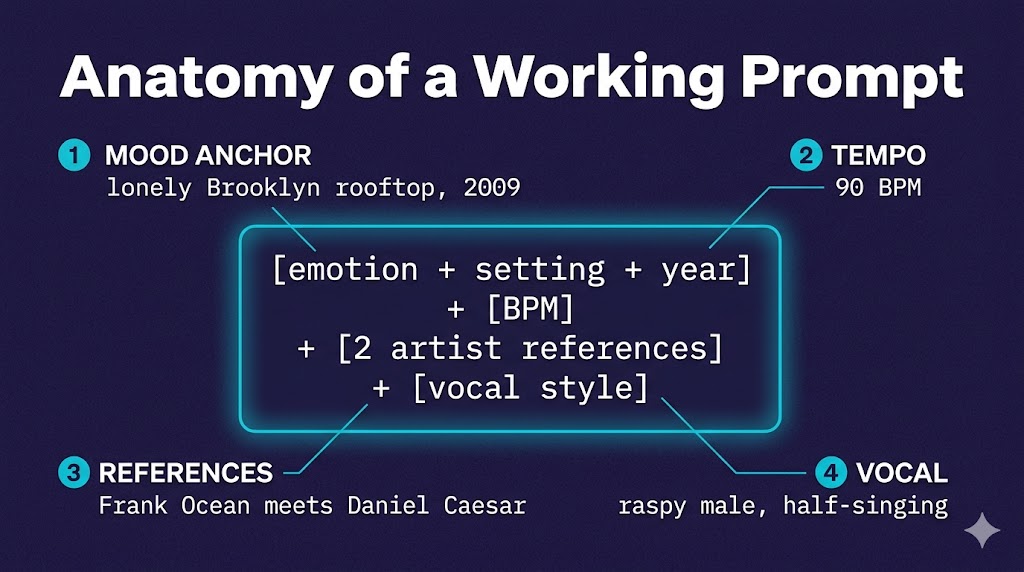
Most usable prompts have four to six components in roughly this order:
- Mood + setting anchor — one concrete scene or feeling tied to a specific time and place. Not "happy" but "drive home from work, golden hour, late summer."
- Genre + sub-genre — "indie folk" is fine, "90s lo-fi indie folk in the vein of Elliott Smith" is sharper.
- Tempo — a BPM number, not an adjective.
- Two artist references max — pick two artists whose work, blended, would describe what you want.
- Vocal style — raspy, breathy, half-spoken, falsetto, layered harmonies. If instrumental, say
instrumental only, no vocals. (If you want to flip an existing track into a different voice, that's a separate workflow — see our AI song cover tool.) - (Optional) Production quality — "lo-fi, warm tape saturation" vs "modern, polished pop production."
That's the formula. You don't need every component every time, but if your prompt is missing tempo and artist references, those are usually the fastest additions to make.
Genre-Specific Quick Examples
Same formula, different genre fillings. Steal these, modify them, learn from them.
Rap / hip-hop:
Atlanta trap, 140 BPM, dark melodic with 808 slides,
hi-hats triplets, autotuned male verse,
Future meets Don Toliver, late-night driving energy
If you write your own bars, our rap generator runs them through a rap-specific model that handles flow and pocket better than general AI music tools.
Lo-fi / chillhop:
Lo-fi hip-hop, 80 BPM, dusty piano loop,
soft vinyl crackle, warm bass, no vocals,
Saturday afternoon coffee shop, Nujabes meets J Dilla
Indie folk:
Indie folk ballad, 88 BPM, fingerpicked acoustic guitar,
soft harmonica, breathy male vocal,
Bon Iver meets Phoebe Bridgers, lonely cabin in winter
EDM / progressive house:
Progressive house, 128 BPM, four-on-the-floor kick,
layered synth pads, female vocal hook,
Lane 8 meets Yotto, sunrise after a festival night
R&B / neo-soul:
Neo-soul, 75 BPM, electric piano with chorus,
mellow bass, breathy female vocal with vibrato,
Daniel Caesar meets H.E.R., late-night intimate
Notice every example has tempo, two artists, vocal style, and a one-line scene. Six elements, fifteen to twenty words. That's the size you're aiming for.
The Iteration Heuristic: Generate 3, Take #2
A weird thing happens when you make a lot of AI music: the first generation almost always has one obvious flaw that hooks your attention. Usually it's a vocal mismatch or a section that sits wrong in the mix. Your brain locks onto the flaw, and then you fix it in the prompt.
The second generation is usually the best — the model has been guided away from the worst failure mode, but you haven't yet over-corrected. The third generation often gets too tight, like the model is now afraid to take risks, and you lose the looseness that made the second one good.
This isn't universal but it's been my pattern for ~80% of sessions. Generate three takes. Listen to all three at least twice. Keep the second one. Save the others as starting points for next time.
Lyrics-First vs Prompt-First Workflows
There are two distinct ways to use AI music tools, and the prompt advice above mostly assumes the prompt-first path:
Prompt-first — you write a style description, the AI generates music and lyrics together, you iterate. Suno and Udio are built around this. Fast, fun, and great for content creators who care more about output than authorship.
Lyrics-first — you write your own lyrics, then use a tool to put them to music. Tools like our lyrics-to-song generator are built around this flow, where the lyrics drive everything and the prompt mostly shapes the production around them. This is the songwriter's path, and the prompt advice is slightly different: tempo and genre matter less, vocal character and production style matter more.
If you've been frustrated that AI-generated lyrics never quite match what you wanted to say, lyrics-first might be worth trying. If you don't write lyrics and want the AI to handle everything, prompt-first is the path.
For a deeper comparison of which tool fits which approach, see our Suno vs Udio vs MelodyCraft AI breakdown.
Quick Reference: Prompt Checklist
Before you hit generate, run through this:
- Did I include a concrete setting or scene (not just an emotion)?
- Did I specify a BPM number?
- Did I name 1–2 (not 5+) artist references?
- Did I describe the vocal style — or specify instrumental?
- Is my prompt 15–25 words, not 5 or 50?
- If lyrics-driven, do my lyrics match the genre's vocal rhythm?
- Am I planning to generate at least 3 versions?
That covers roughly 80% of what makes the difference between a usable track and a frustrating one. The rest is taste, and taste comes from reps.
What's Next
Two things to try this week:
Take one prompt you've used before that disappointed you. Rewrite it using the anatomy formula above (tempo + 2 artists + vocal + scene). Run both side by side. The new one will almost always win.
If you've been frustrated by mismatched lyrics, try a lyrics-first approach — write the words first, generate around them, and see if the result feels closer to what you actually meant.
Prompts are a craft you can absolutely learn. The hundred you write next will be measurably better than the hundred you've written so far, just from being a little more concrete.